

# Typing Speed for Job Applications: Real WPM Targets by Role
Typing speed for job applications usually lands in the 35 to 70 WPM range, depending on the role, with accuracy often weighted as heavily as speed. Administrative and support roles often ask for 40 to 55 WPM, data-heavy roles often ask for 50 to 70 WPM, and specialist transcription roles can require much more. If you want better hiring outcomes, train to a role specific target, prove it with repeat test scores, and present both WPM and accuracy in your application.
Many candidates guess at typing benchmarks. That guesswork causes avoidable rejection. Recruiters often use screening thresholds because they need simple filters. The good news is practical: once you know the benchmark for your target role, you can train with structure and improve quickly.
# Why typing speed still matters in hiring
Typing speed is not a vanity metric in most office and digital operations jobs. It functions as a throughput proxy. Faster and cleaner input means lower turnaround time for documentation, chat support, CRM updates, ticket notes, and internal coordination.
Hiring teams use speed thresholds for three reasons:
- They need a fast filter in high volume hiring.
- They need evidence you can handle repetitive text input.
- They need confidence that quality will hold under time pressure.
Large labor databases group many of these tasks under administrative, support, and information processing categories. You can review role tasks and expected activity patterns through the U.S. Bureau of Labor Statistics Occupational Outlook Handbook and O*NET role profiles.
External references:
- Bureau of Labor Statistics Occupational Outlook Handbook: https://www.bls.gov/ooh/ (opens new window)
- O*NET Online role data and task profiles: https://www.onetonline.org/ (opens new window)
- OSHA ergonomics guidance: https://www.osha.gov/ergonomics (opens new window)
# Typical typing speed targets by job type
Job descriptions often contain inflated numbers copied from old templates. You need practical ranges based on role reality. The table below gives working targets you can use for preparation.
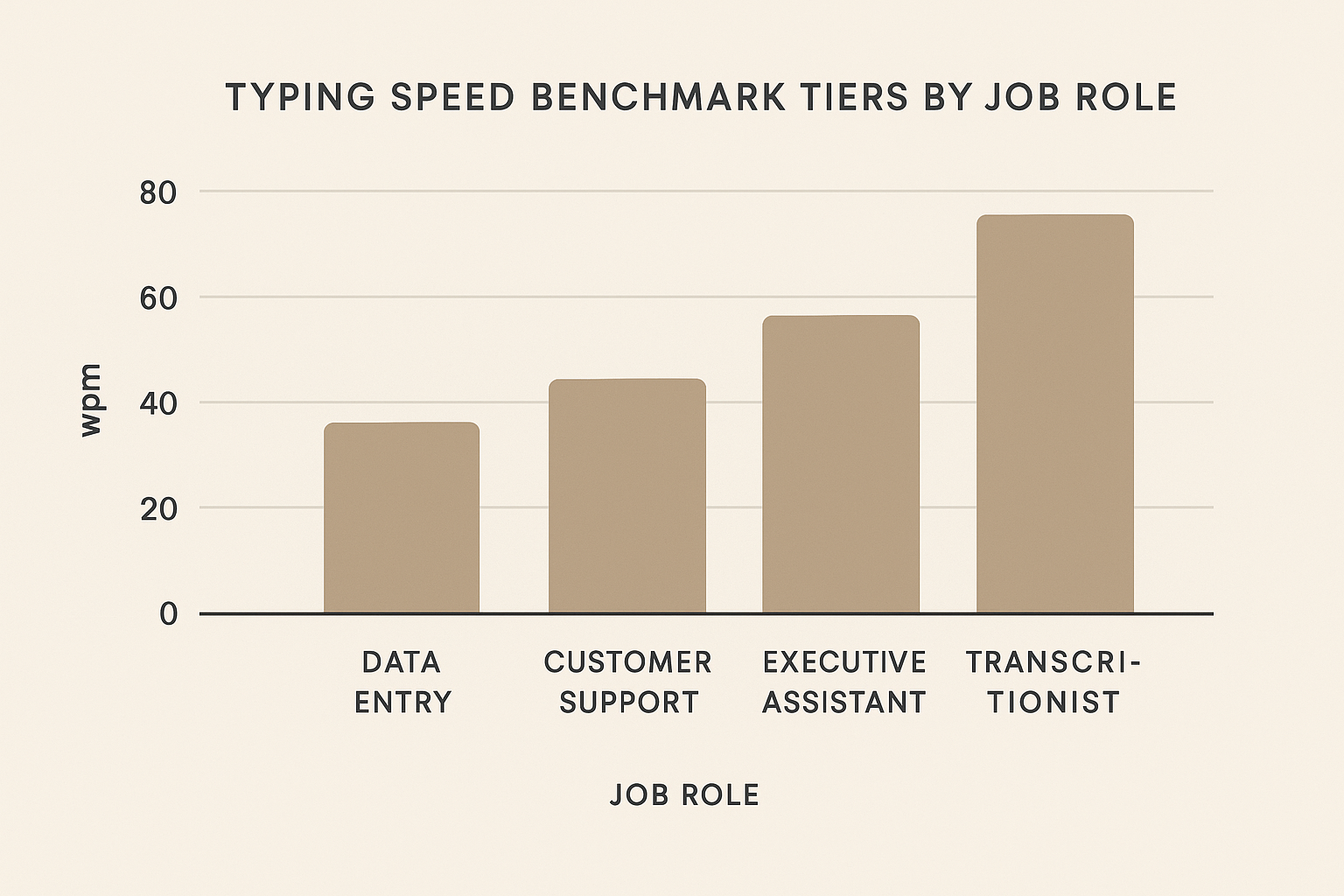
| Role type | Typical minimum ask | Competitive target | Accuracy target | Notes |
|---|---|---|---|---|
| Reception and admin assistant | 35 to 45 WPM | 50+ WPM | 96 to 98% | Email triage and scheduling value consistency over peak bursts |
| Customer support (chat and ticket) | 40 to 50 WPM | 55+ WPM | 97 to 99% | Quality of responses and low typo rate are tracked in QA systems |
| Data entry clerk | 45 to 60 WPM | 60 to 75 WPM | 98 to 99% | Numeric accuracy and formatting discipline matter more than max speed |
| Medical admin and billing | 40 to 55 WPM | 55 to 65 WPM | 98%+ | Terminology accuracy and code integrity are high risk areas |
| Legal assistant and paralegal support | 45 to 60 WPM | 60+ WPM | 98%+ | Long form drafting with precise formatting is common |
| Transcription | 60+ WPM | 75 to 90 WPM | 98%+ | Listening, punctuation, and formatting skills drive output |
| Junior technical support documentation | 40 to 55 WPM | 55 to 70 WPM | 97 to 99% | Clear writing and structured notes often outweigh pure speed |
Use this table as a decision tool, then adapt to the specific posting. If a listing states 80 WPM for a basic admin role, verify whether it is a hard requirement or a copied preference line.
# How employers actually test typing
Most employers do not run formal keyboard labs. They use simple test flows.
Common screening patterns:
- A short online typing test during application.
- A timed practical in a remote interview.
- A live simulation where you summarize information while listening.
- A probation task that checks speed plus error rate over several days.
The key detail is measurement drift. One platform may measure punctuation and corrections differently from another. This is why single score screenshots are weak evidence. Three to five scores on the same platform over different days carry more credibility.
If you need a baseline before applying, run repeat tests on TypeTest and log both speed and accuracy. Related reading:
- Typing Muscle Memory: Train Your Fingers
- Typing Posture Mistakes: Common Errors Costing You Speed
- Typing Distractions: Focus Strategies for Peak Performance
- Typing Test Anxiety: Calm Your Mind, Boost Your Speed
# Speed versus accuracy in real hiring decisions
Candidates often chase headline WPM and ignore error rate. Hiring managers usually penalize error heavy speed because correction time destroys net output.
A practical comparison:
- Candidate A types 70 WPM at 93% accuracy.
- Candidate B types 58 WPM at 99% accuracy.
In support, billing, and legal workflows, candidate B often delivers more usable output per hour because the rework burden is lower.
You can think in terms of effective WPM. A rough model multiplies raw speed by accuracy. This does not capture all workflow costs, but it keeps training priorities honest.
Examples:
- 70 WPM at 93% accuracy gives 65.1 effective WPM.
- 58 WPM at 99% accuracy gives 57.4 effective WPM.
The first candidate still has higher effective throughput here, but the margin shrinks. In quality sensitive environments, the penalty for critical mistakes can exceed that gap. The target strategy is straightforward: build to 97% or higher first, then increase speed while keeping quality stable.
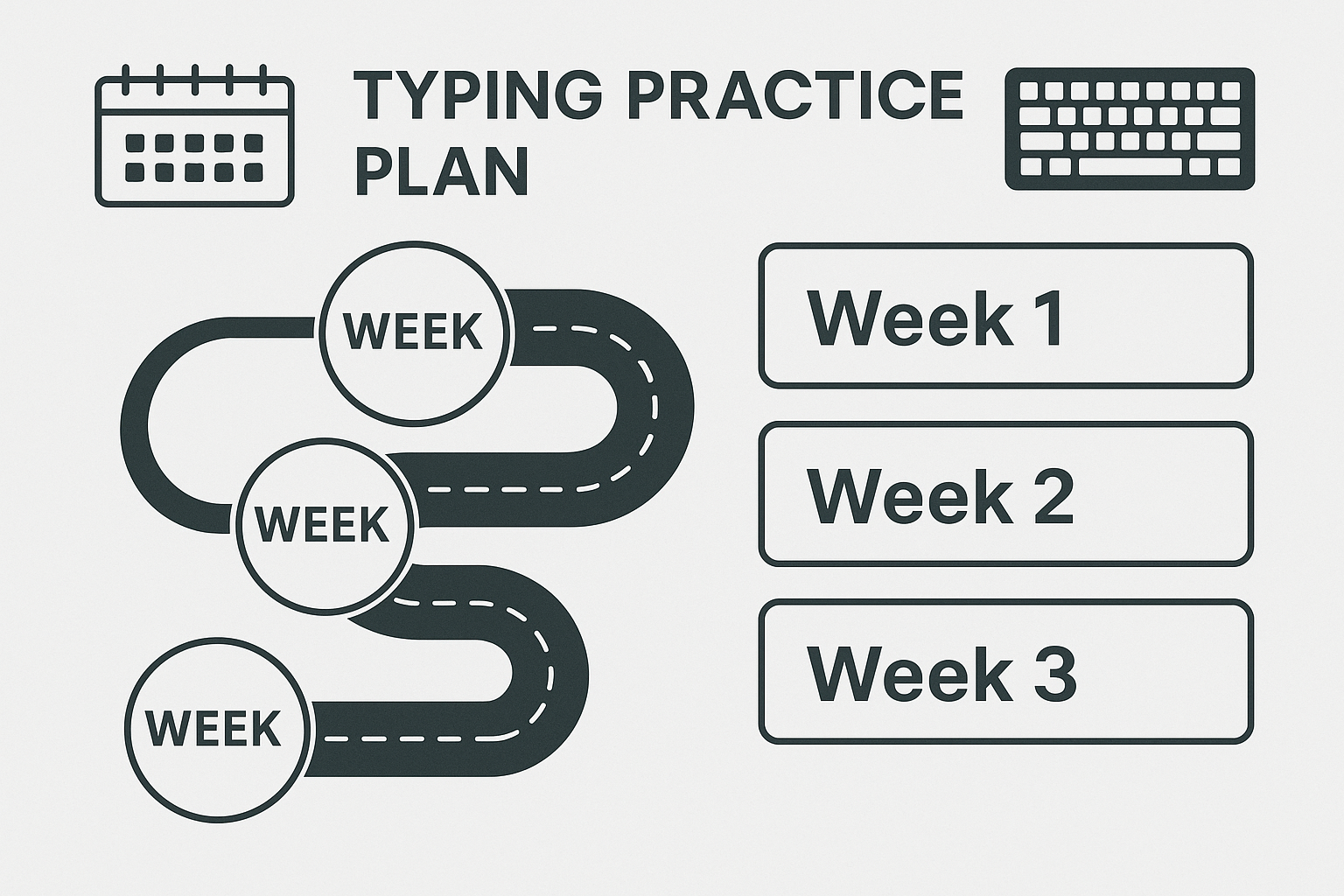
# A four week typing plan for applicants
This plan is designed for candidates who currently type between 35 and 55 WPM and need job ready improvement quickly.
# Week 1: Baseline and error diagnosis
Goals:
- Record 5 baseline tests at consistent times.
- Identify top error patterns.
- Standardize posture and keyboard setup.
Daily structure, 20 to 30 minutes:
- One easy warm up test.
- Two focused tests with emphasis on zero panic and clean input.
- Five minute error drill using your most frequent mistakes.
- One final test at regular pace.
At the end of week 1, you should know whether your bottleneck is finger placement, attention drift, punctuation control, or fatigue.
# Week 2: Accuracy lock
Goals:
- Sustain 97 to 99% accuracy across sessions.
- Remove recurring letter pair and punctuation mistakes.
Daily structure, 25 to 35 minutes:
- Controlled pace run at 85 to 90% of max speed.
- Two targeted drills for weak bigrams and trigrams.
- One mixed paragraph test with punctuation.
- One cooldown run focused on smooth rhythm.
Do not chase personal records during week 2. This phase builds the quality floor you need during interviews.
# Week 3: Speed expansion
Goals:
- Increase average WPM by 5 to 10 without accuracy collapse.
- Build short burst speed for timed prompts.
Daily structure, 30 to 40 minutes:
- Two interval runs, 30 to 60 seconds each, above comfort pace.
- Two standard duration tests at target role pace.
- One endurance run with strict error discipline.
Track rolling averages, not single highs. Employers care about repeatable performance.
# Week 4: Job simulation and proof packaging
Goals:
- Match role conditions.
- Produce evidence you can include in applications.
Daily structure, 25 to 40 minutes:
- One test in the morning.
- One test under mild pressure, for example timed notes after listening to a short video segment.
- One final test with full punctuation and formatting attention.
At week end, capture your latest 5 test results from the same platform and summarize:
- Average WPM
- Average accuracy
- Best score
- Stability range
This summary can go in your resume notes, portfolio, or interview preparation document.
# Application checklist: what to submit and what to say
Use this checklist before applying to roles that mention typing requirements.
- [ ] Confirm the posting asks for typing speed, accuracy, or both.
- [ ] Match your benchmark to the role table in this guide.
- [ ] Run at least 5 tests over 3 or more days.
- [ ] Report average and best scores, not only one peak.
- [ ] Mention tool consistency, for example all tests on one platform.
- [ ] Prepare one sentence on how you maintain accuracy under pressure.
- [ ] Prepare one sentence on ergonomics and sustainable workflow.
Sample line for applications:
"Current typing benchmark: 61 WPM average at 98% accuracy across five timed tests on TypeTest, with stable results over one week."
That sentence is specific, testable, and useful.
# Ergonomics and sustainability for long shifts
Typing performance decays when setup quality is poor. Speed gains that rely on strain are temporary. Employers value candidates who can sustain output without injury risk.
Minimum setup controls:
- Neutral wrist posture.
- Screen height that avoids forward neck tilt.
- Chair support that keeps shoulders relaxed.
- Scheduled short breaks every 45 to 60 minutes.
If you need a baseline framework, OSHA provides practical workstation guidance. For broader evidence on keyboard activity and musculoskeletal risk, review occupational and clinical literature on repetitive input work.
Additional external reference:
- Review article on computer work and musculoskeletal symptoms: https://www.ncbi.nlm.nih.gov/pmc/articles/PMC7537853/ (opens new window)
# Common mistakes that block hiring readiness
- Training only for speed and ignoring error patterns.
- Practicing on one text style, then failing punctuation heavy prompts.
- Switching keyboard layouts right before interviews.
- Reporting unrealistic scores that you cannot reproduce live.
- Ignoring fatigue and losing consistency in longer tasks.
A better approach is boring and effective: stable environment, repeat testing, role specific pace, and clean execution.
# Conclusion
Typing speed requirements in hiring are predictable when you map them to role demands. Most candidates can become competitive by setting a realistic benchmark, raising accuracy first, and training with repeatable sessions. Present your results clearly, show consistency, and align your target with the role. That combination improves both interview confidence and hiring outcomes.